








Windows 11 Home Product Key - Secure, Fast, and Designed for Everyday Use
Upgrade your PC with Windows 11 Home, a modern operating system built for performance, security, and simplicity. Designed for home users and families, Windows 11 Home delivers a clean interface, improved multitasking, and seamless compatibility with the latest software, including Microsoft Office 2021 and newer applications. When you purchase from Veriskey Technologies, you receive a genuine Windows 11 Home activation key that ensures a fully functional and secure operating system experience.
What You Get with Windows 11 Home:
- Genuine Microsoft Windows 11 Home license with full features
- Permanent activation on a single device
- Ability to reinstall on the same device when needed
- Support for 64-bit systems (standard for modern hardware)
- Fast digital delivery of your product key via email
Key Features of Windows 11 Home:
- Modern Interface and Navigation - A redesigned Start Menu and centered taskbar provide a clean and organized workspace
- Enhanced Multitasking - Snap Assist and advanced window management tools let you organize multiple applications efficiently
- Integrated Widgets - Customizable widgets display real-time updates such as news, weather, and calendar events
- Microsoft Teams Integration - Communicate easily with built-in Teams access directly from the taskbar, supporting messaging and video calls
- Touch, Pen, and Voice Support - Optimized for modern devices, including tablets and 2-in-1 laptops, with improved input options
Windows 11 Home for Daily Use and Entertainment:
- Game Mode optimizes system resources for better performance
- Support for DirectX 12 enhances graphics and gameplay
- Auto HDR improves visual quality for supported games
- The Microsoft Store provides access to a wide variety of apps, software, and media
What Is a Windows 11 Home Product Key:
A Windows 11 Home product key is required to activate your operating system. Activation ensures that your system receives critical updates, security patches, and full access to personalization settings, with a genuine license helping ensure a secure, uninterrupted experience.
How to Install and Activate Windows 11 Home:
- Download the official Windows installation tool from Microsoft
- Create installation media using a USB drive or ISO file
- Install Windows 11 Home on your device
- Enter your product key during setup, or activate it later through system settings
Why Buy Windows 11 Home from Veriskey Technologies:
- Competitive Pricing - Cost-effective access to genuine Microsoft licenses with a one-time purchase and no hidden charges
- Trusted Digital Delivery - Instant email delivery of your activation key through a secure and reliable purchasing process
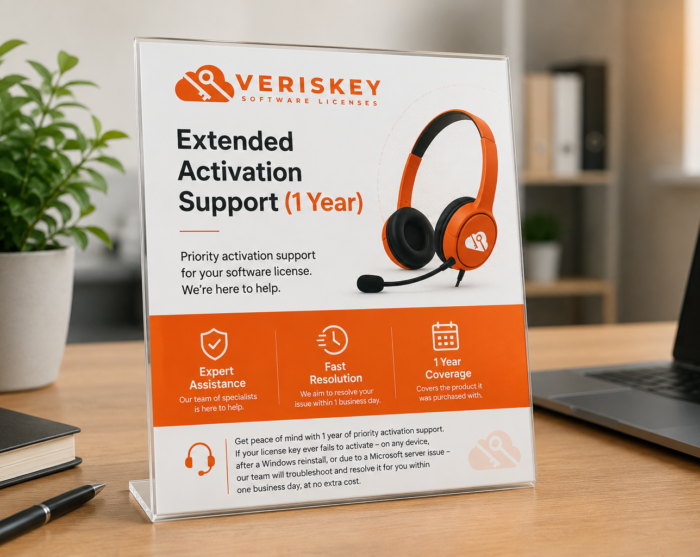
- Dedicated Customer Support - Assistance available for installation and activation, with a focus on a smooth, professional customer experience
Windows 11 Home combines performance, security, and ease of use, making it a reliable operating system for everyday computing, whether for work, study, or entertainment.
Purchase your Windows 11 Home product key from Veriskey Technologies and activate your system with confidence.
Before installing, confirm your PC meets Windows 11's requirements (TPM 2.0 and Secure Boot) – Microsoft's free PC Health Check app can verify this for you.
- Back up any important files.
- Download the Media Creation Tool from Microsoft's official site and create a bootable USB (8 GB minimum) or ISO for Windows 11.
- Boot from the USB/ISO, select "Custom install," and follow the setup wizard.
- Enter the genuine product key Veriskey emails you after purchase to complete activation.
Windows 11 Home covers all the everyday essentials for work, study, and entertainment. Need business features like BitLocker or domain join later on? You can always upgrade to Windows 11 Pro.
Q: Can I download Windows 11 for free?
A: Yes, the installer itself is free from Microsoft – you'll just need a valid product key like the one Veriskey provides to activate it.
Q: Can I install it on a PC with no existing operating system?
A: Yes – create a bootable USB drive, boot from it, and follow the on-screen setup exactly as you would on any PC or laptop.
Q: How long does installation take?
A: Usually 20 minutes to an hour, depending on your hardware and connection.
Q: Is my product key a lifetime license?
A: Yes, once activated it remains valid for as long as you use that device.
- Processor: 1 GHz or faster, 2+ cores, compatible 64-bit CPU or SoC
- RAM: 4 GB minimum
- Storage: 64 GB or more
- Firmware: UEFI with Secure Boot support
- TPM: Trusted Platform Module version 2.0
- Graphics: DirectX 12 compatible with a WDDM 2.0 driver
- Display: 9" or larger, HD (720p), 8 bits per color channel
- Other: Internet connection required for setup and updates